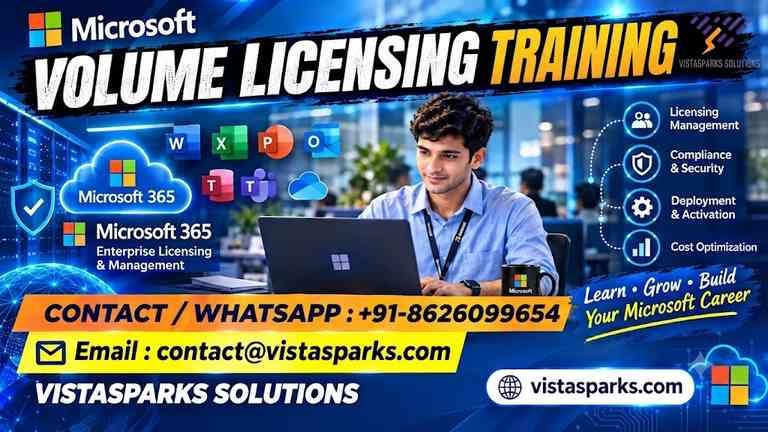
Microsoft Volume Licensing Training helps professionals understand how organizations acquire, manage, assign, and maintain Microsoft software licenses across their business environments. Participants learn about licensing agreements, user-based and device-based licensing, Microsoft 365 subscriptions, Windows licensing, Windows Server, SQL Server, and licensing considerations for cloud and hybrid environments.
The course focuses on practical licensing knowledge to help organizations manage software investments, maintain compliance, and make informed purchasing decisions. Microsoft licensing programs and agreement options vary by product, customer type, region, and current Microsoft policies.
After completing Microsoft Volume Licensing Training, you will be able to:
Our Individual Microsoft Volume Licensing Training program is designed for students, freshers, IT professionals, procurement specialists, software asset managers, licensing administrators, system administrators, and working professionals who want to develop expertise in Microsoft licensing and software asset management.
The training focuses on licensing models, agreement interpretation, compliance, license tracking, and cost management.
Our Corporate Microsoft Volume Licensing Training is designed for organizations seeking to improve software license management, strengthen compliance, optimize licensing costs, and understand Microsoft licensing requirements.
The program can be customized according to organizational needs, Microsoft products in use, procurement processes, and IT asset management policies.
Build your expertise with Microsoft Volume Licensing Training from Vistasparks Solutions.
📧 Email: contact@vistasparks.com
📞 Call/WhatsApp: +91-8626099654
🌐 Website: https://vistasparks.com
Microsoft Volume Licensing Training explains how organizations purchase, manage, assign, and maintain licenses for Microsoft software across multiple users, devices, and business environments.
IT administrators, software asset managers, procurement professionals, licensing consultants, system administrators, IT support professionals, and beginners interested in Microsoft licensing can enroll.
No formal prerequisites are required. Basic knowledge of Microsoft products, IT infrastructure, software procurement, or enterprise IT management is helpful.
The training covers licensing fundamentals, Microsoft licensing programs, agreement structures, product licensing rules, license assignment, compliance, software asset management, and cost optimization.
The training introduces relevant Microsoft licensing purchasing options and agreement structures. Availability and eligibility can vary by organization, customer type, region, and current Microsoft policies.
Volume licensing is designed for organizational purchasing and management of software licenses, while retail licensing generally serves individual purchases. The rights and terms depend on the specific product and license agreement.
Yes. It can cover Microsoft 365 subscription plans, user licensing, license assignment, product features, and considerations for selecting suitable plans for an organization.
Yes. The course introduces licensing considerations for Windows and Windows Server, including device and server licensing concepts. Exact requirements depend on the product version and the applicable license terms.
Yes. Participants can learn key SQL Server licensing concepts, including core-based licensing, Server plus Client Access License (CAL) models where applicable, and factors that affect licensing requirements
A CAL grants a user or device certain access rights to specific Microsoft server software under the applicable licensing terms. It is not itself a copy of the server software.
Microsoft license compliance means using software according to the applicable license terms, including requirements related to users, devices, installations, access rights, and product usage.
Yes. Training can introduce software inventory reviews, license documentation, entitlement tracking, usage analysis, and preparation for internal compliance assessments.
Yes. It explains how organizations can review software usage, identify potential over-licensing or under-licensing, select suitable licensing options, and improve license management. Any savings depend on the organization’s actual environment and contractual terms.
Practical exercises can include sample licensing scenarios, license requirement calculations, product comparisons, inventory reviews, and documentation activities.
No. Programming is generally not required. Basic IT knowledge and an interest in software licensing, procurement, or asset management are useful.
Relevant roles may include Software Asset Management Analyst, IT Asset Management Specialist, Licensing Analyst, IT Procurement Specialist, Software Compliance Analyst, and Microsoft Licensing Consultant. Job requirements vary by employer.
Yes. Beginners can use the training to understand Microsoft licensing fundamentals and build a foundation for roles involving IT asset management, software procurement, or licensing support.
Completing a training course does not automatically provide an official Microsoft certification. Any certification or credential must be pursued separately through an applicable, currently available Microsoft certification program.
Vistasparks Solutions can discuss training formats and corporate learning requirements. Contact the team to confirm current online delivery options, schedules, and customized training availability.
Vistasparks Solutions focuses on structured training, practical licensing scenarios, and business-oriented learning. For course details, schedules, and enrollment information, contact:
There are no reviews yet. Be the first one to write one.